
Affinity Diagram
Personalize This
Get insights for your role
An affinity diagram organizes large amounts of ideas or data into natural groupings based on relationships, revealing themes and patterns.
Definition
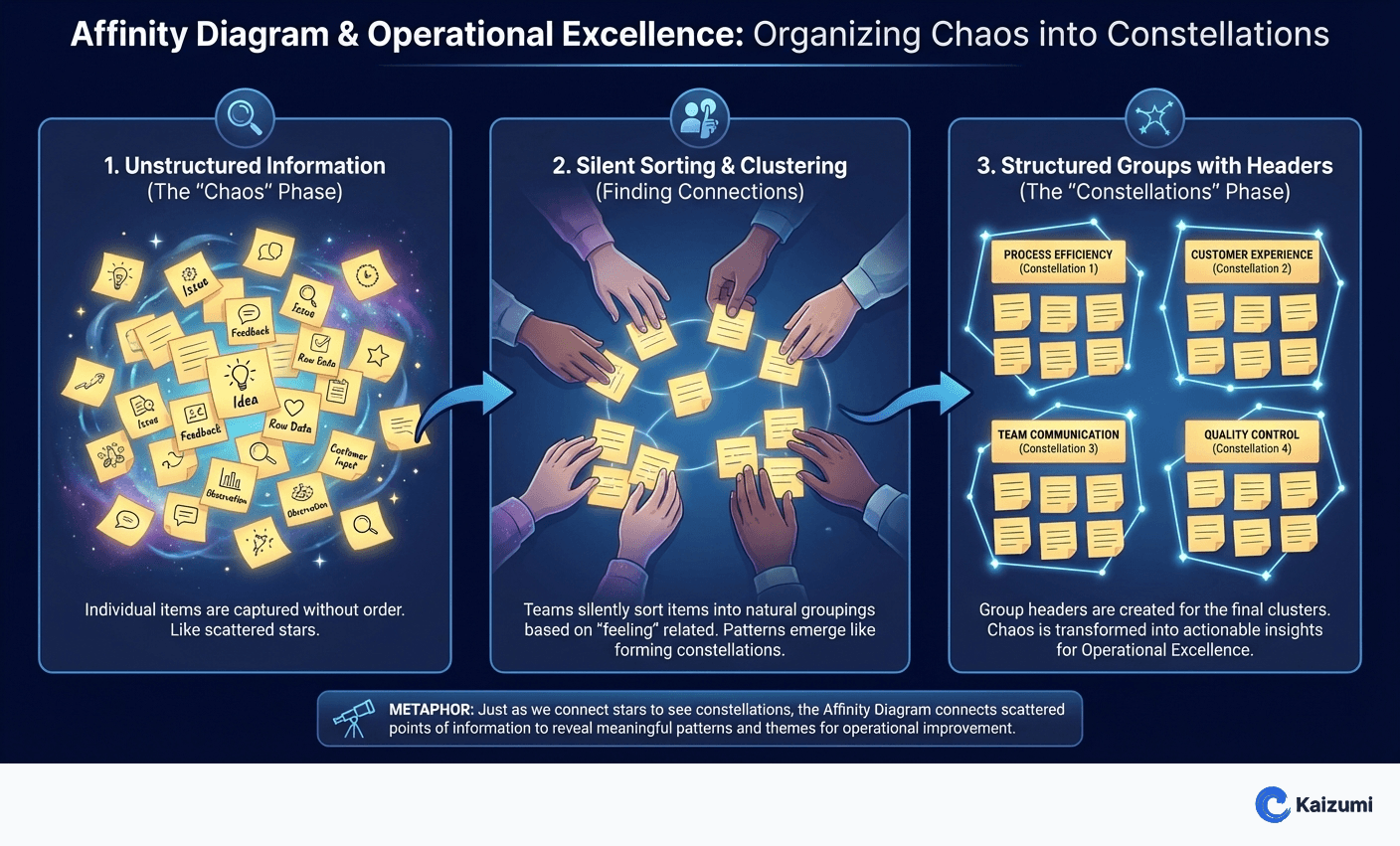
An affinity diagram is a tool for organizing large amounts of unstructured information—ideas, issues, customer feedback—into natural groupings based on their relationships. Teams write individual items on sticky notes, then silently sort them into clusters that "feel" related. Group headers emerge from the clusters rather than being predetermined. Affinity diagrams help teams make sense of complex, messy data and reveal themes or categories that weren't obvious initially.
Examples
After brainstorming 75 potential causes of quality problems, the team felt overwhelmed. Creating an affinity diagram, they sorted ideas into natural groups. Seven themes emerged: training gaps, material issues, equipment condition, environmental factors, measurement problems, procedure gaps, and communication breakdowns. This structure focused their investigation.
Key Points
- Used to organize large amounts of unstructured information
- Silent sorting prevents dominant voices from controlling grouping
- Categories emerge from data rather than being predetermined
- Typically done with sticky notes for easy movement and regrouping
Common Misconceptions
Affinity diagrams require facilitation expertise. The technique is simple: write, sort, label. While facilitation helps, any team can learn the method quickly. The key is silent sorting to let patterns emerge without debate during grouping.
Categories should be planned before sorting. Predetermined categories bias the sorting. True affinity diagramming lets groupings emerge from the data. If you already know the categories, you're just sorting—not discovering structure.