
Value-Stream Improvement
Personalize This
Get insights for your role
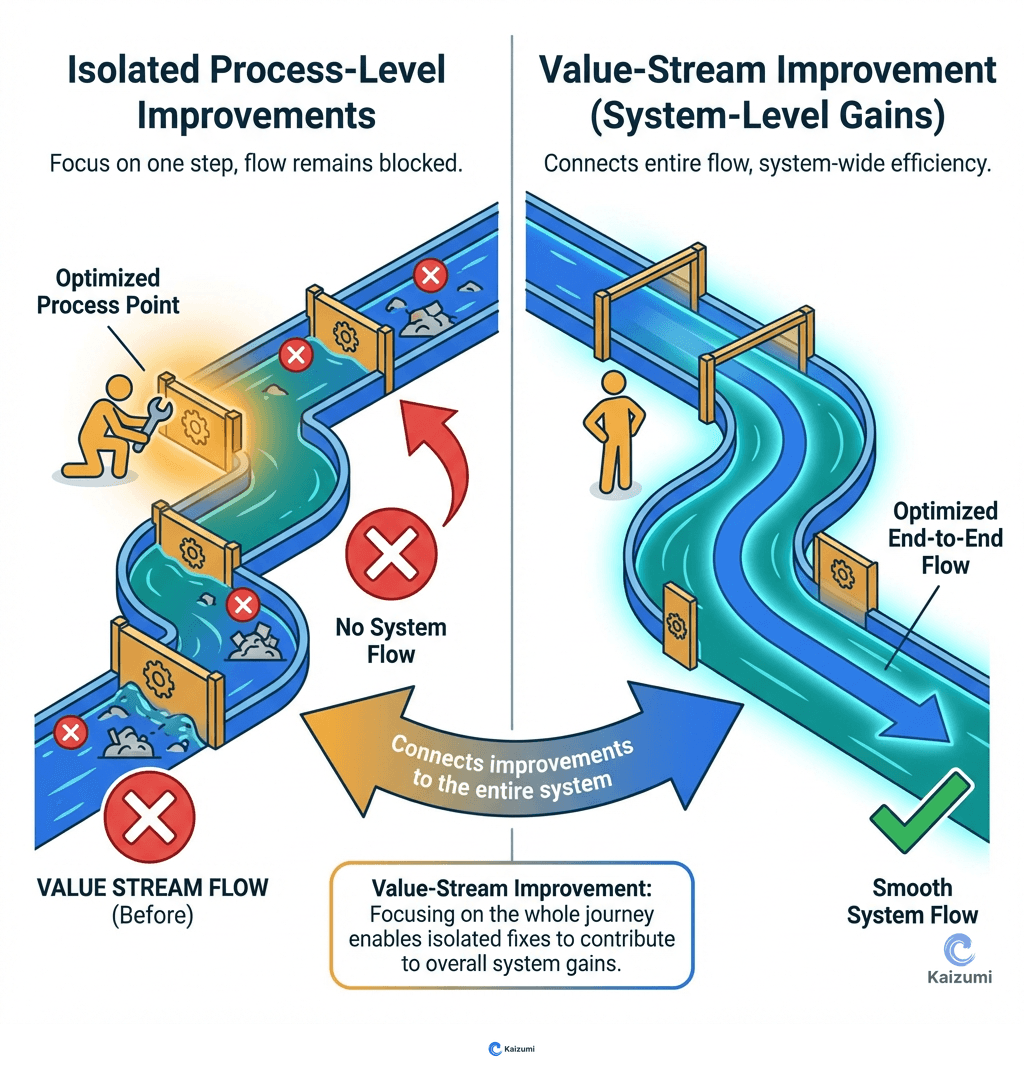
Value-stream improvement focuses on optimizing the entire flow from raw material to customer, not just individual process steps.
Definition
Value-stream improvement focuses on optimizing the entire flow from raw material to customer delivery, rather than improving individual processes in isolation. While process-level kaizen improves cycle time or quality at a single step, value-stream improvement addresses the connections between steps: inventory accumulation, waiting time, information flow, and coordination problems. Value-stream improvement uses value-stream mapping to see the whole, identifies systemic barriers to flow, and implements changes that improve end-to-end performance. This system-level focus often reveals that local improvements can worsen overall performance while system improvements benefit everyone.
Examples
Process-level kaizen reduced a machining cell's cycle time by 20%. But lead time didn't improve because the cell was surrounded by inventory. Value-stream improvement addressed the root cause: mismatched schedules between processes, creating the inventory that dominated lead time.
Key Points
- System-level focus rather than process-level optimization
- Uses value-stream mapping to see end-to-end flow
- Often reveals that local improvements hurt system performance
- Requires cross-functional coordination and value-stream management
Common Misconceptions
Value-stream improvement is just bigger kaizen. It's different in focus: process kaizen improves individual steps; value-stream improvement improves the connections between steps and the overall flow.
Improving each process improves the system. Locally optimal processes often create system sub-optimization. Value-stream thinking may accept worse local performance for better system performance.
Try It
Map current vs. future state right here. Chart material and information flow, find the gap between lead time and processing time, and target where the flow breaks. (Also available as a standalone tool.)
See Also
- Value Stream Mapping - The tool for seeing value stream opportunities